
Kik is a social messaging app that allows users to create a username, rather than provide a phone number, to chat with friends or strangers via text, pictures, videos, and live streams.
Thinking about moving on from Kik? This guide explains how to delete a Kik account permanently, how to temporarily deactivate it, what to do before starting, and how to come back later if needed. It keeps things simple and matches Kik’s current browser‑only deletion flow.
In this era of social messaging apps, there are thousands of such apps and people sometimes find it hard to manage all the accounts at once. This may urge you to delete the account to clear up the cluster.
So, here is the detailed guide to deactivate or delete your account on Kik and stop using it.
Deleting Kik Account: Things to Know
- Have access to the sign‑up email: Permanent deletion requires access to the original email on the account; no email access, no permanent delete. Make sure the inbox works and can receive Kik’s confirmation link.
- Save what matters: Kik won’t keep chat history for personal retrieval after deletion, so screenshot or export anything important before proceeding. Expect prior chats to show “profile unavailable” on others’ devices for a short time.
- Decide between deactivate vs delete: Deactivation is temporary and reversible by signing in; deletion is permanent and can’t be undone. Pick the one that fits the situation.
How To Deactivate Kik Account

Unlike deleting, deactivating account on Kik will simply hide your profile from public and friends.you won’t be able to get Kik messages and emails. You won’t show up in Kik’s search, and your name will get deleted from your contacts’ lists. It’s temporary and can be reactivated using the same login credentials to restore all the chat and history.
So, if you are looking for a temporary solution or need a break, it’s always a great idea to deactivate your Kik account.
Follow the steps below to deactivate your account:
Deactivation On PC(Web)
- Go to the Kik website ws.kik.com/deactivate. This page is specifically for deactivating Kik accounts.
- Enter your registered email address and click “Go!”.
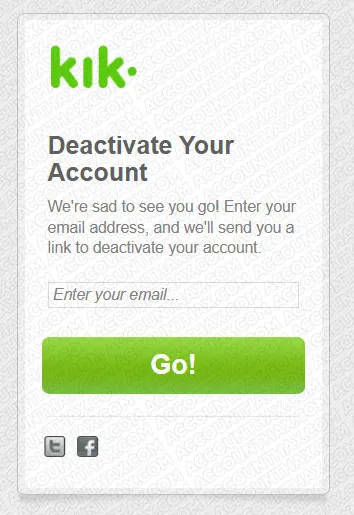
- You will now receive an email with a deactivation link. Click the link provided in the email to deactivate the account.
Deactivation Using Kik App(Android/iOS)
- Open Kik application on device.
- Click on “Settings” to display the menu.
- Click on “Your Account” on the menu.
- Click on “Reset Kik” on “Your Account” page.
- Redirection will take place to a page where you will be prompted to type email address in order for a Kik account deactivation link to be sent.
- Check email to click on the link. By doing so, you will deactivate Kik account.
How To Delete Kik Account (PC and App)
Steps to delete Kik Account Using PC
- Open browser on computer.
- Log on to https://www.ws.kik.com/deactivate in order for Kik account deactivation page to become visible.
- Type email address registered with Kik account.
- After email has been typed, click on “go”.
- A confirmation email will be sent. Check your email and click on the confirmation link.
- Click on it to be redirected to a webpage, one that will prompt you to choose the reason for deleting account.
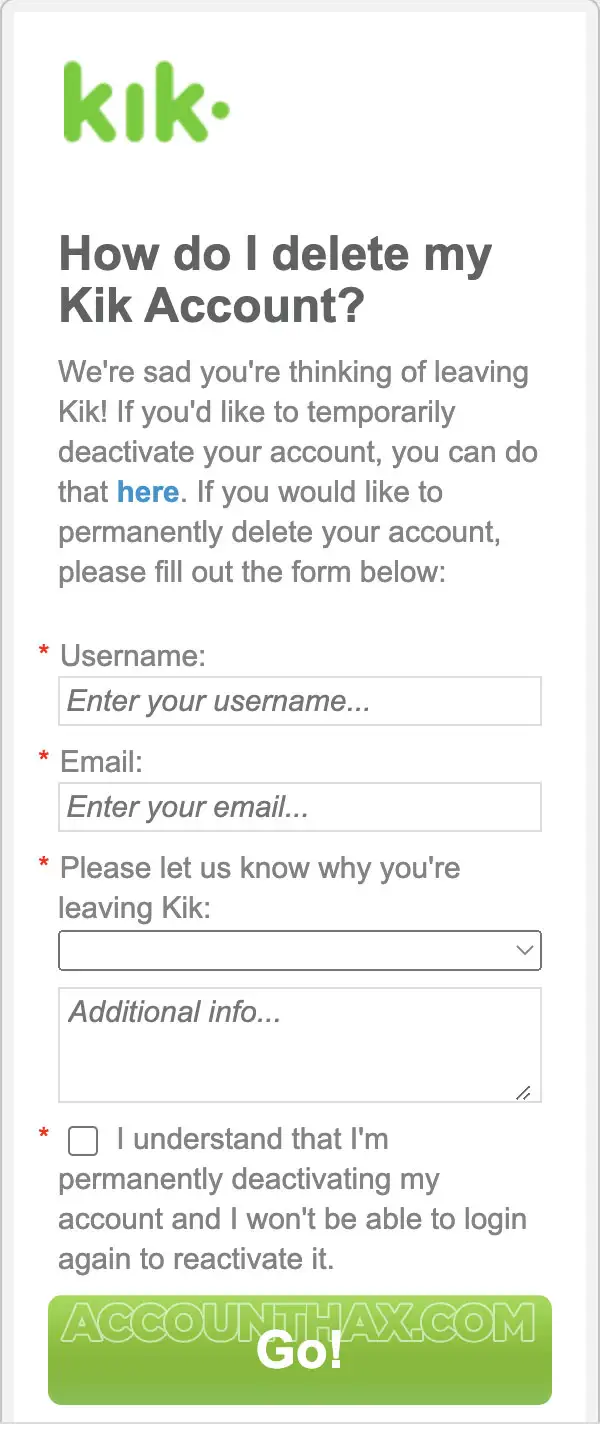
- Once reason has been specified, proceed to delete Kik account once and for all.
Steps to delete Kik Account Using App (Android/iOS)
There is no direct ooption ot delete Kik account from mobile app. You can open the link https://www.ws.kik.com/deactivate and follow the steps to get the account deletion prompt and proceed further.
Reasons to delete the account
- Want to step away from always‑on messaging and cut noise.
- Switching to another messenger and prefer a clean slate.
- Privacy cleanup: reducing old accounts that still hold identifiers or profile data.
Deleting vs Deactivation: Know the Difference.
- Deactivate is a temporary pause: the account stops receiving messages, the username becomes unsearchable, and the name is removed from contacts; logging back in reactivates everything. This is best for a short break, digital detox, or testing a new chat routine without losing the account.
- Delete is permanent: access is removed, search visibility ends, and the profile is removed from contact lists; it can’t be reversed later. Choose this for a true exit or privacy cleanup when there’s no plan to return.
What happens to your username after deletion (searchability and contact lists).
- After a permanent delete, the username stops being searchable, and the profile falls off contact lists over the next few days due to caching on other devices. This reduces reachability and prevents new chats to that handle.
- Friends may still briefly see a cached card, but it won’t accept messages; once the cache clears, the handle effectively disappears from their app experience.
What’s the difference between deactivating and deleting?
Deactivation is temporary and reversible by logging back in; deletion is permanent, no login, no messages, and no search visibility after confirmation.
Can deletion be done from the app?
No, both deactivation and deletion are done in a web browser via Kik’s official portals, followed by confirming the emailed link.
Why do I need my original email?
Kik sends a one‑time link to confirm deactivation or deletion; without access to that email inbox, the request can’t be completed.
Will my profile vanish from my friends’ lists right away?
It stops being searchable immediately, but it can remain cached on other devices for a few days before disappearing.
Can chats or data be recovered after deletion?
No, once the account is permanently deleted, access to messages, contacts, and profile data is gone and can’t be restored.
Conclusion:
Deleting a Kik account takes just a few minutes if the registered email is handy: open the browser portal, submit the form, and confirm via the email link. If a temporary break is all that’s needed, deactivate instead so reactivation is as easy as signing back in; for a clean exit, complete the permanent delete and expect the profile to disappear from searches and contacts shortly after.